Quick tip: ActionScript trace statements

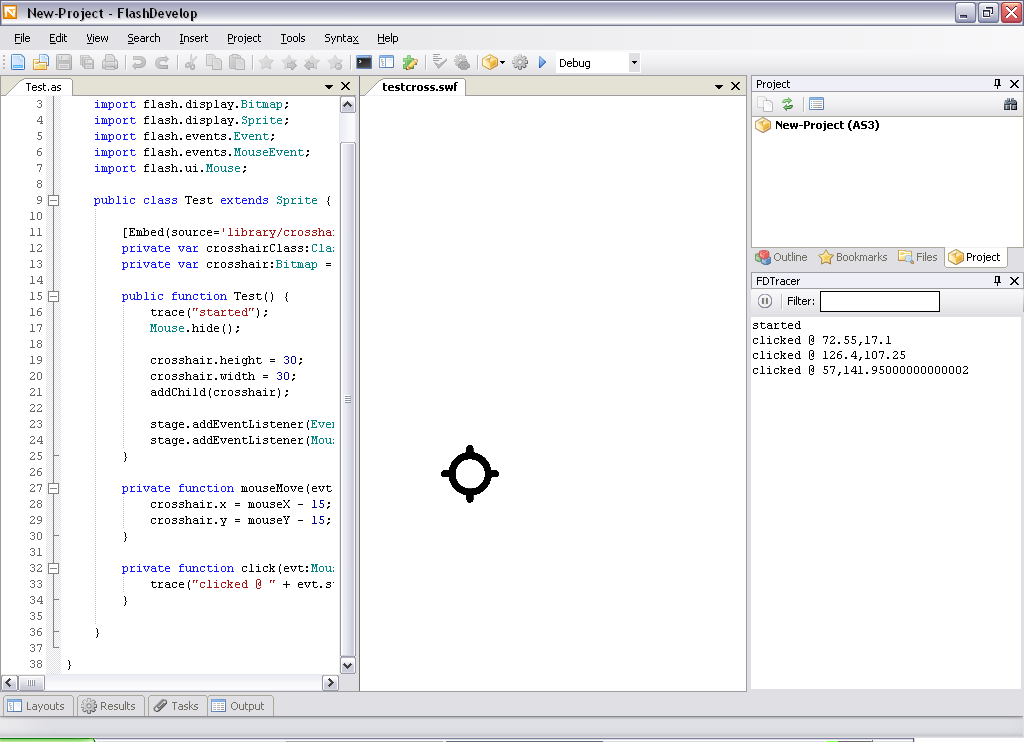
In a previous post, I already hinted at the existence of the ActionScript “trace” statement. To make good use of it, you should install the debug Flash Player and FDTracer. FDTracer is a basic plugin for FlashDevelop that will show the trace output right inside FlashDevelop. No need to go find the logs files, everything is right there. Really simple, but oh so useful. Everything is explained here.

Share and Enjoy:
  • DZone
  • Digg
  • StumbleUpon
  • NewsVine
  • del.icio.us
This entry was posted in FlashMedia. Bookmark the permalink. Post a comment or leave a trackback: Trackback URL.
  • I also noticed that, with the latest FlashDevelop, you no longer need the FDTracer plugin. Trace information is captured by FlashDevelop and put into the console. However, if you like your trace information in a separate window, it's still a nice plugin.
  • This is a note to myself, but might also be useful for other people:
    * make sure you install the Flash debug player for ActiveX if you want it to work correctly with FlashDevelop. The "for ActiveX" part is important.
    * the debugger can be configured with the "mm.cfg" file placed in the users home directory. You might need to change some stuff around before it starts actually writing the trace file.
blog comments powered by Disqus
  • Categories

  • Archives

  • Subscribe

    If you liked this post, why not subscribe to the RSS feed? Two times a week, you'll receive the latest post right in your news reader or mailbox.

    Subscribe via the RSS feed

    Or subscribe with your email address